What is a shuttle tracking system and how do you choose one? A 12-point guide
A shuttle tracking system is more than vehicles on a map; it brings together planning, passengers, boarding, cost and reporting. We have compiled its components and a 12-point checklist for choosing the right software.
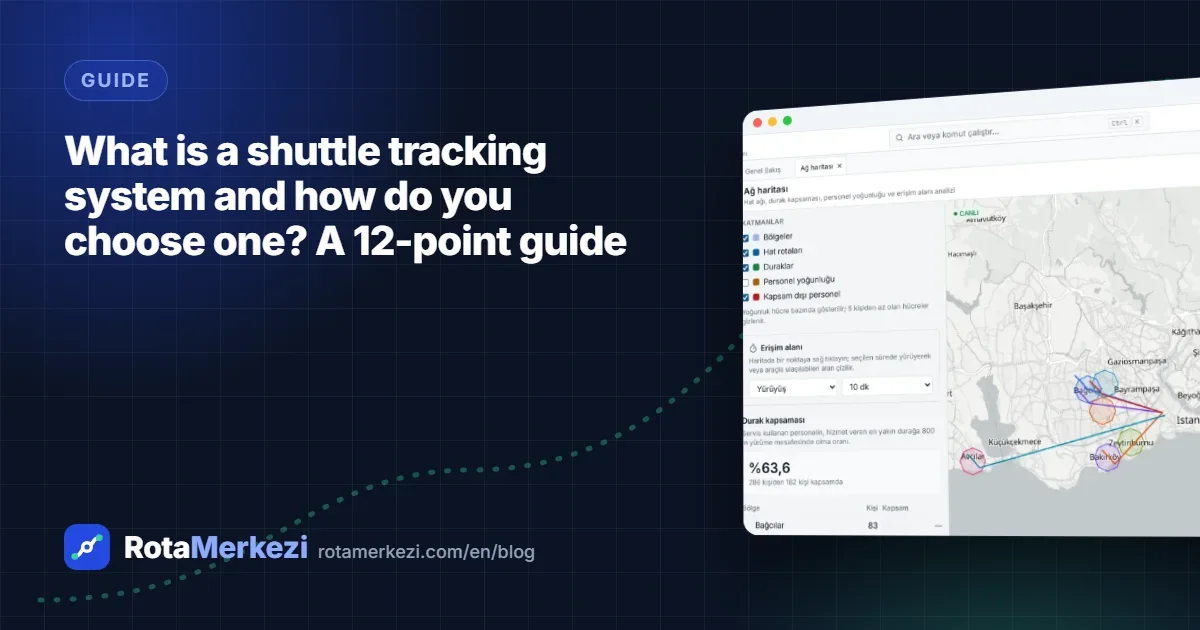
A shuttle tracking system is software that lets you track where your employee shuttles are in real time and manage the shuttle network together with planning, passenger assignment, boarding, cost and reporting. To choose the right system, you need to look beyond the map screen to the data model, the mobile apps, data protection measures and integrations. Below you will find the components and a practical 12-point checklist.
What is a shuttle tracking system?
Also searched for as "shuttle tracking software" or "shuttle management software", these systems help organizations manage employee transport end to end. What sets them apart from a simple vehicle tracking screen is that the passenger and the line, not the vehicle, are at the center: Which employee boards at which stop, which line serves which shift, when will the shuttle reach the stop, and how much will be paid to the vendor this month?
In multi-shift, multi-campus organizations such as hospitals, universities, factories and public institutions, the answers to these questions are usually scattered across spreadsheets, phone calls and the experience of a few people. A shuttle tracking system brings this information together in a single data model.
Core components
| Component | What does it do? |
|---|---|
| Shuttle network and line planning | Shows employee addresses, stops, lines and campuses on a single map |
| Route design and optimization | Calculates the route, stop sequence, distance and duration; redesigns lines |
| Passenger assignment | Places employees on stops and lines based on walking distance, capacity and shift |
| Live tracking and arrival estimates | Shows vehicle location, delays, route deviations and estimated arrival at stops |
| Trips and operations | Generates daily trips from the shift calendar, manages changes and incidents |
| Mobile apps | Driver assignments and boarding records; live location, QR boarding and requests for employees |
| Fleet and vendors | Vehicles, capacity, driver documents, contracts |
| Costs and vendor payments | Cost per line and per employee, vendor payments (progress payments) and SLA per contract |
| Reporting | Occupancy, punctuality, cost and performance reports |
| Integration and security | HR, identity, GPS devices; permissions, audit log, backups |
Not every organization needs all of these components from day one, but it is important to know whether the system you choose can support them as you grow.
A 12-point checklist for choosing a system
1. Live tracking and estimated arrival
Showing the vehicle's location on a map is only the start. The real value comes when the location is matched with trip and stop information to produce an estimated arrival time for each stop. Ask whether there are automatic alerts for delays, route deviations and GPS loss.
2. Flexible location sources
Can the system work if the vehicles have no GPS device? Being able to use the driver's phone as a location source lets you start without investing in hardware. If there are devices, data should be receivable through standard methods such as HTTP or MQTT.
3. Line and route planning
Designing lines on a map, automatic calculation of stop sequence, distance and duration, and managing morning and evening directions separately are basic expectations. It is also important that changes can be prepared as a draft version that takes effect on a specific date, and that past versions are kept.
4. Optimization and scenario comparison
Can you answer "What happens if we merge these two lines?" with data? Route optimization and comparing scenarios by their impact on daily kilometers, vehicle count and cost take the guesswork out of decisions.
5. Capacity and occupancy management
Capacity should be calculated by vehicle type, assignments to full lines should be blocked, and half-empty and overcrowded lines should be visible. Measuring actual occupancy from boarding data is far more valuable than planned occupancy.
6. Mobile apps
For drivers: an assignment list, stop sequence, boarding records and offline operation. For employees: live location, QR boarding, an "I won't be riding" notice and requests. Whether the apps are installed from an app store or run as PWAs directly affects the installation and update workload.
7. Data protection and security
Ask clearly about issues such as whether the vehicle rather than the employee is tracked, whether location is collected only during trips, role- and department-based permissions, audit logs, retention periods and anonymization for employees who leave. On a multi-tenant cloud platform, also find out how organizations' data is separated. In Turkey, these questions fall under KVKK (Turkey's Personal Data Protection Law, comparable to the GDPR). For a legal assessment, we recommend working with your organization's data controller and legal department; this point is not legal advice.
8. Integrations: API, SSO, GTFS
- REST API and webhooks: data exchange with HR, ERP and BI tools
- Enterprise sign-in (SSO / LDAP): users sign in with their existing organizational accounts
- HR import: scheduled automatic import of employee and address data
- GTFS / GTFS-Realtime: compatibility with passenger information displays and transit apps
A documented API (for example, an OpenAPI definition) reduces lock-in over the long term.
9. Reporting
Look for ready-made reports (occupancy, punctuality, delays, cost) and a report designer where you can build your own. Excel and PDF export are practical for management presentations.
10. Costs and vendor payments
Calculating cost by contract type (per trip, per kilometer, fixed monthly), deriving vendor payments from completed trips and reflecting SLA breaches according to the contract make the relationship with the vendor transparent.
11. Data ownership and portability
Who owns your data? Ask in what format you can get your data when the contract ends, what API and export options exist, and how backup and restore work.
12. Setup, rollout and support
Is it cloud-based, how does setup proceed, is there a pilot period? The plan and timeline for steps such as importing employee data, validating stops and training users should be discussed up front.
Questions to ask in a demo meeting
- What does daily operation look like on a sample similar to our data?
- Who prepares a line change, who approves it, and how is it recorded?
- How does live tracking work when a vehicle has no GPS device?
- What data is the vendor payment calculation based on, and what happens with an indicator that cannot be measured?
- Can we import employee data from Excel or from our HR system?
How does RotaMerkezi answer this list?
RotaMerkezi is a cloud-based employee shuttle management platform that brings the components above together in a single data model: shuttle network planning, a route designer and VRP-based optimization, scenarios and four-eyes approval, live vehicle tracking, a driver app and employee portal that run as PWAs, costs and vendor payments, reporting, and integrations including REST API, webhooks, SSO, LDAP, GTFS and MQTT. Each organization's data is separated at the database level.
Conclusion
When choosing a shuttle tracking system, don't focus on the most attractive map screen; look at how well the system carries your workflow and your data. If you would like to prioritize this list according to your own needs and compare it with RotaMerkezi, you can request a demo or review the package options on the pricing page.
Frequently asked questions
Are a shuttle tracking system and shuttle management software the same thing?
The terms are often used interchangeably. However, systems that only show live location can be thought of as "tracking" software, while those that also cover planning, assignment, vendor payments and reporting can be thought of as "management" software.
Does a small organization need a shuttle tracking system too?
Even organizations running just a few lines benefit from live location, QR boarding and occupancy data. In package- and module-based systems, components you don't need can be left switched off at the start.
Does it make sense to run a pilot during selection?
Yes. A pilot on a limited number of lines with your own data lets you see issues such as data quality and user habits before going live.