AI-powered shuttle management with Copilot and the morning summary
How do RotaMerkezi's AI features work? A Copilot whose numbers are verified, streamed answers, the morning summary, anomaly detection, demand forecasting and VRP-based line redesign.
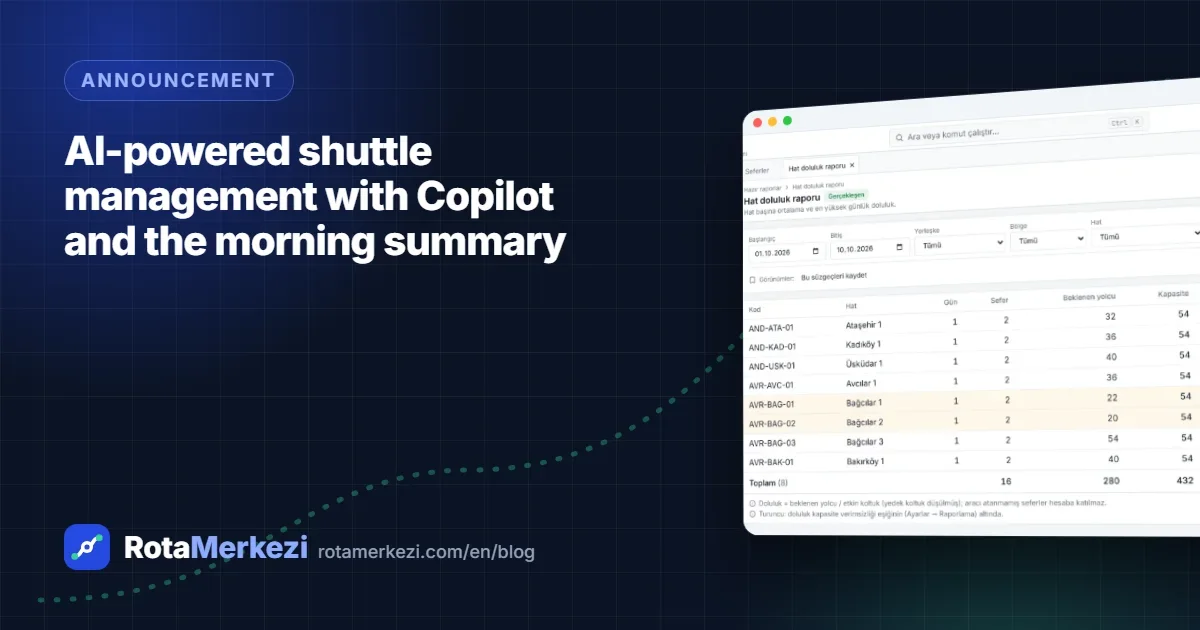
In RotaMerkezi, AI consists of an assistant (Copilot) that answers questions about shuttle operations using your organization's own data, an operations summary prepared every morning, and analyses that surface problems before they grow. In this article, we explain in plain language what each feature does, where a large language model is used and where it isn't, and how your data is protected. With version 1.3.0, Copilot answers now appear on screen as they are written.
Copilot: talk to your data
You can ask Copilot questions such as "Which three lines had the most delays this week?" or "Are there any trips tomorrow without a vehicle assigned?" The assistant answers these questions not by guessing but by calling the system's tools: it queries data such as the line list and operational indicators and bases its answer on those outputs. Copilot sees only the data the user is authorized to see.
Every number rests on a source
A known weakness of large language models is that they can produce numbers that look plausible but are wrong. In shuttle management, a wrong occupancy rate or cost figure leads to a wrong decision. That is why a check we call NumberGuard runs in Copilot:
- Every number in the answer is compared with the output of the tools the assistant called.
- Ordinary transformations such as rounding, converting to a percentage, or converting seconds to minutes or meters to kilometers are recognized.
- A number that cannot be traced to any tool output is marked "could not be verified."
This way, users know which figures in the answer are backed by data and which ones they should treat with caution.
Answers are streamed (1.3.0)
With version 1.3.0, released on October 11, 2026, Copilot answers appear on screen as they are written. Meanwhile, the data the assistant is looking at in that moment is also shown. You can cut a long answer short with the Stop button. Tables and number verification are added once the answer is complete; if an unverifiable number is corrected, the text updates automatically.
Morning summary
The morning summary is prepared so that the operations team can start the day prepared. Its structure is entirely rule-based and includes the following headings:
- The day's trips
- Trips without an assigned vehicle or driver
- Trips at capacity risk
- Document status of assigned vehicles and drivers, drivers on leave
- Open incidents and pending recommendations
- Yesterday's anomalies
If the organization wishes, this structure is turned into readable text by a large language model. In that case, too, the numbers are checked; if there is a mismatch, the system falls back to the template text. If narration is turned off, the template text is used.
Anomaly detection and demand forecasting
These two features do not use a large language model; they rely on statistical methods that run on your organization's historical data.
- Anomaly detection: a baseline is built from recently completed trips per line, direction and day type. If ride time, delay at the end of the trip or occupancy deviates clearly from this baseline, it is flagged as an anomaly. The likely cause (route deviation, technical fault, traffic, excessive waiting) is determined by rules based on recorded incidents; recurring anomalies are identified separately.
- Demand forecasting: the expected number of passengers per line and day is calculated from the assigned passengers by subtracting known exceptions (such as leave and remote work) and the historical aggregate no-show rate.
Recommendations and success analysis
The system generates recommendations for improving capacity and assignments; these recommendations are not applied directly but go to approval. After an accepted recommendation is applied, its actual impact is measured and stored alongside the expectation at the time of the recommendation. The AI Recommendation Success Analysis report uses these measurements to show whether recommendations actually worked in the field.
Line redesign: an optimization problem
Let us clarify a point that is often confused: line redesign is not done by a language model. The selected lines are solved as a vehicle routing problem (VRP) with constraints such as vehicle capacity, the maximum time a passenger may spend on the shuttle and the maximum number of routes. The solution is calculated in parallel with Google OR-Tools and a built-in heuristic solver, and the better one is chosen. The result is shown as a scenario and is not applied without passing four-eyes approval.
Data protection
When designing the AI features, our top priority was that personal data should not reach the model:
- No personal names, addresses or coordinates are sent to the model. The tools Copilot calls do not return this information.
- The organization chooses the provider. It can choose between Anthropic and OpenAI, or keep AI switched off entirely.
- Explicit approval is required. The AI features do not work until the organization gives explicit approval for cross-border data transfer (a requirement under KVKK, Turkey's Personal Data Protection Law, comparable to the GDPR).
- Monthly quota. A monthly request quota applies depending on the package; this month's usage is shown on the settings screen.
- Retention period. Copilot conversations are deleted automatically when the period set in the organization's settings expires.
For details, see the Security and privacy page.
How to get started
The AI features are enabled by the organization administrator from the Settings → AI screen: the provider is selected, the key is entered, approval for cross-border data transfer is given and the connection is tested. You can explore all the features on the AI page and request a demo to see them with your own scenarios.
Frequently asked questions
What is AI useful for in shuttle management?
It lets you ask questions about operational data in natural language ("which lines had the most delays this week?"), receive a ready-made operations summary every morning, notice unusual changes in delays and occupancy, and forecast passenger demand for the coming days. The decision still rests with people.
Can Copilot make changes to the shuttle plan?
No. Copilot can run scenarios and prepare recommendations, but it does not write to live data. For a change to be applied, it must be turned into a change set and approved by an authorized person.
Which providers are used for the AI features?
The organization chooses between Anthropic (Claude) and OpenAI (GPT) and enters its own API key. The feature cannot be enabled without approval for cross-border data transfer.
Do anomaly detection and demand forecasting require a language model?
No. Anomaly detection and demand forecasting are calculated using statistical methods on historical trip data. The language model is used only in the Copilot chat and, optionally, for narrating summaries.