Planning and optimization
Route designer
Design shuttle routes on the map while stop order, distance and driving time are calculated automatically.
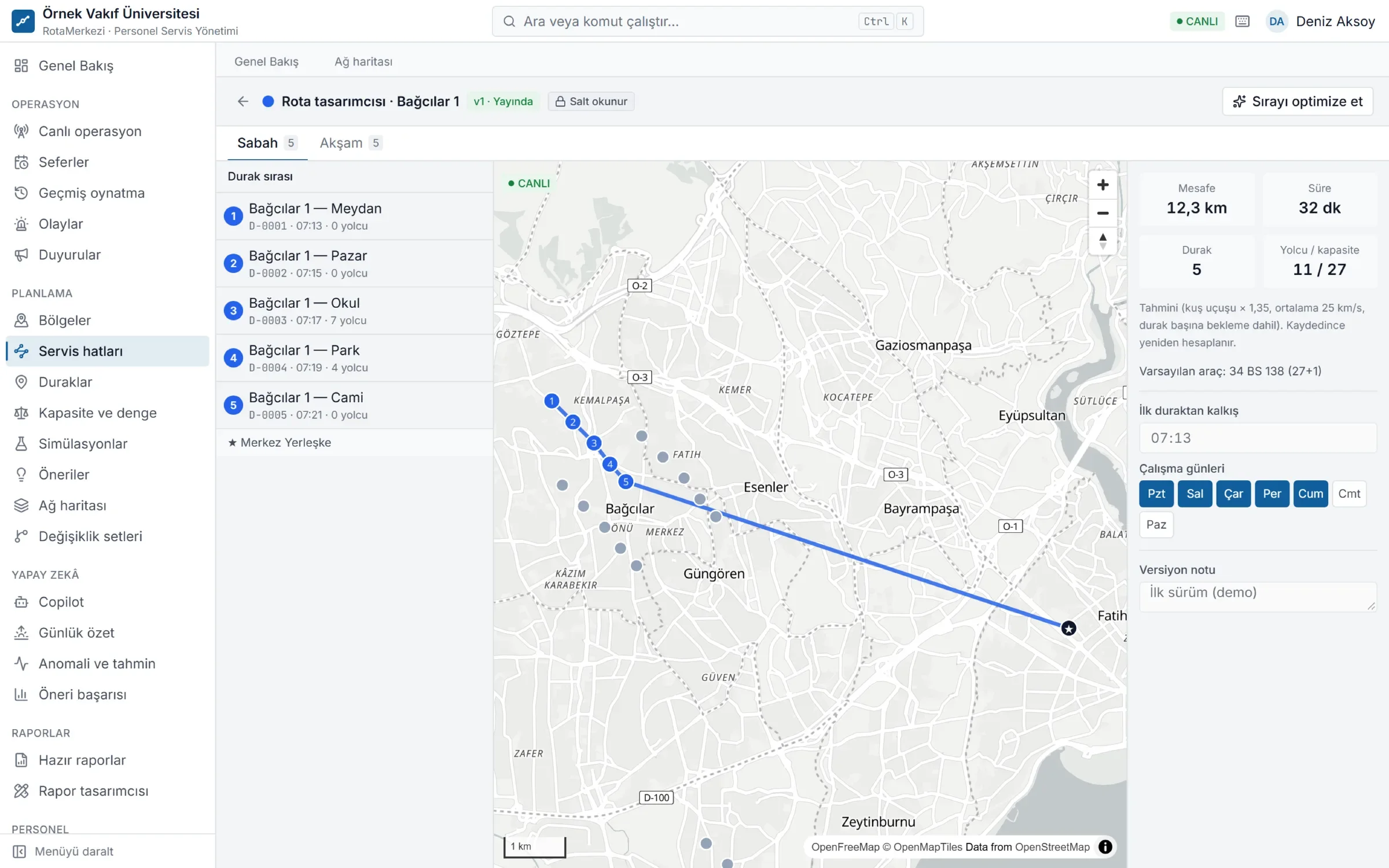
Routes on the map
In the route designer you drag stops into order and see the route on the map instantly. Distance and estimated driving time are recalculated with every change. If your organization has a routing provider configured, the route is drawn over the real road network; if not, distance and time are calculated as estimates.
Highlights
- Separate routes for the morning (to work) and evening (home) directions
- Arrival times per stop and the line's total duration
- Draft versions: changes are prepared without affecting the live line and published after approval
- Works with your own OSRM / GraphHopper server or a commercial routing provider for real road networks
How does it work?
- Open a draft version of the line. The version in effect is copied; the live line does not change.
- Reorder the stop list by drag and drop or with the arrows. Clicking a stop on the map that is not on the line adds it to the end of the list.
- The right-hand panel instantly updates total kilometers, duration, number of stops and passengers / capacity.
- Enter the departure time and operating days. You can generate the evening schedule from the morning one with "fill in reverse from the other schedule".
- Add the draft to a change set and submit it for approval. Once approved, it takes effect on the date you set.
Automatic stop order optimization
The "Optimize order" button rearranges the stops for the shortest total time while keeping the start and end points fixed (the traveling salesman problem, using nearest insertion with 2-opt and or-opt improvements). The morning schedule ends at the campus; the evening schedule starts from the campus. The gain is shown before you apply it, and single-move suggestions are offered too, such as "swapping these two stops saves about 40 seconds".
Routing providers
RotaMerkezi is not tied to a single map service:
- Built-in estimate: Requires no extra service; distance is derived from straight-line distance with a correction factor, time from the organization's average speed setting, and both are labeled "estimated" on screen.
- OSRM / GraphHopper: Open-source routing engines running on your own server.
- Mapbox, Google Routes, HERE: Commercial providers.
The settings show which operations each provider supports. No fake data is produced for an unsupported operation; the calculation falls back to an estimate and this is stated clearly. A monthly request quota, caching and a circuit breaker for provider outages are built in.
Frequently asked questions
Does the route designer use real road distances?
Yes, if a routing provider (OSRM, GraphHopper, Mapbox, Google Routes or HERE) is configured. If not, distance and time are estimated and shown on screen with an "estimated" label.
Will my change affect the live line immediately?
No. The route designer only edits a draft version. Until the change is approved, published and its effective date arrives, trips continue to be generated with the old route.
Can morning and evening routes be different?
Yes. Each line version has separate morning and evening schedules. The evening schedule can be auto-filled as the reverse of the morning one and then edited independently.
Does stop order optimization change employees' stops?
No. Only the order of the existing stops changes; which employee boards at which stop stays the same.