Employees and mobile
Employee and organization management
Units, campuses, shifts and employees in one place. Import from Excel or your HR system, and addresses are automatically converted into locations.
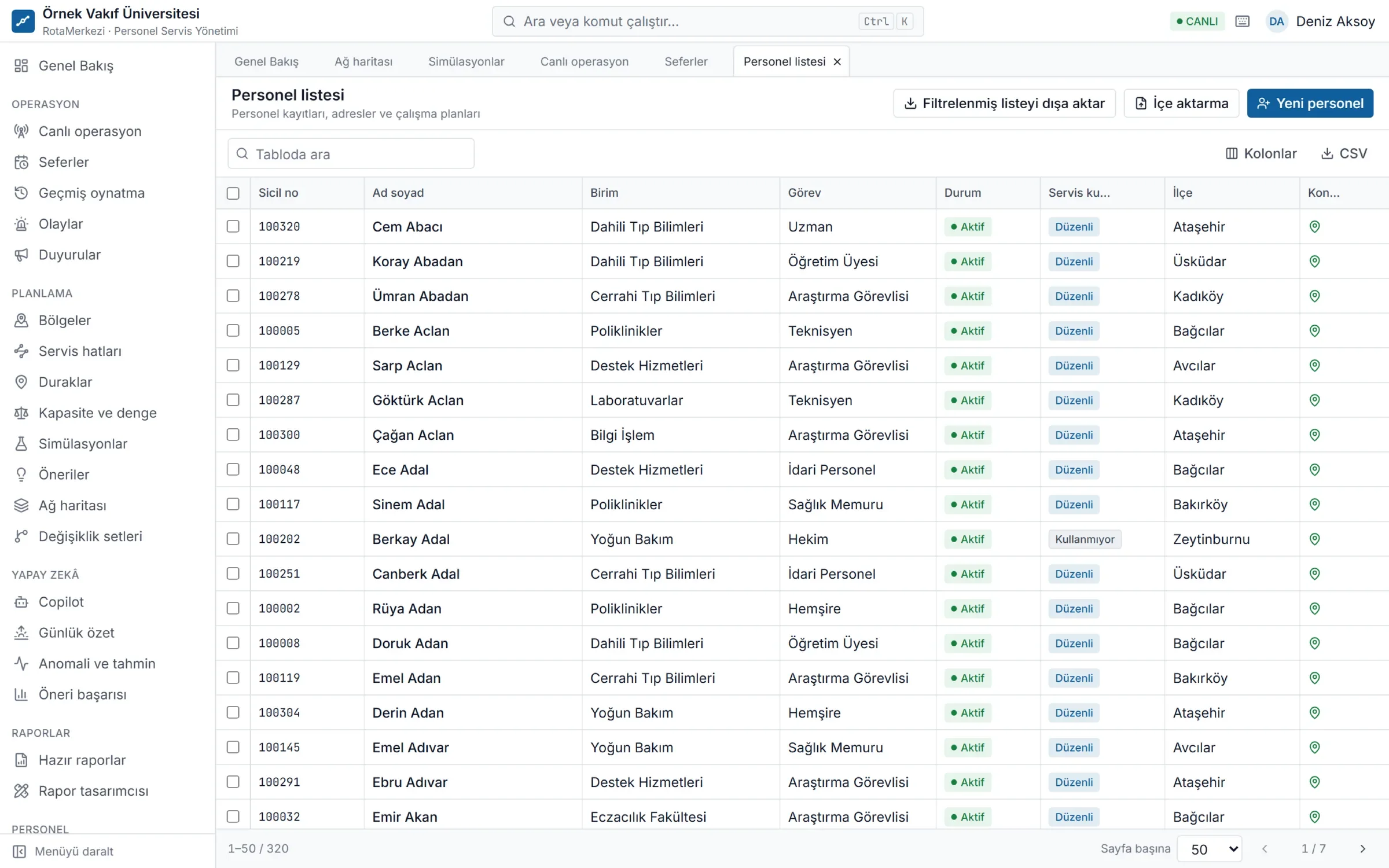
The foundation of your shuttle data
- Unit tree, campuses, shift and work calendars
- Excel / CSV import: row-level validation, an error-row report and a preview before applying
- Scheduled automatic import through HR system integration
- Address → location conversion and correction on the map
- Organization-specific fields (e.g. employee type, night duty)
- Data scope: users see only employees in the units and regions they are authorized for
Organization structure
- Unit tree: Unlimited depth (e.g. rectorate → faculty → department). When a unit is moved, all its sub-units move with it.
- Campuses: Location and entry area (geofence) are drawn on the map; buildings and gates can be added. A shuttle's arrival at the campus is detected based on this area.
- Shifts: Night shifts (running into the next day) are calculated correctly.
- Calendar: Public holidays, half days and closed days; trip generation follows this calendar.
Employee records
For each employee, the record holds the employee number, unit, position, shuttle use (regular, temporary or none), accessibility needs, maximum walking distance, work schedule (shift + campus + days) and exceptions (leave, remote work, another campus). When an address changes, the old address is closed and the new one opened; the history is preserved.
Import: validate first, then approve
- A CSV or Excel file is uploaded. Turkish and English column headers are recognized, and the delimiter and character encoding are detected automatically.
- Each row is validated and classified as new / update / skip / error. Problems such as duplicate employee numbers within the file, unknown unit or shift codes and missing coordinates are shown row by row.
- The error list can be downloaded as Excel and corrected.
- Once approved, only valid rows are applied; the data is re-validated just before applying.
If your HR system can serve a CSV or Excel file over HTTPS, the import runs automatically every day at the time you choose. An open API and LDAP / Active Directory sync are also supported.
Protecting personal data
Full addresses and exact coordinates are not shown in the employee list for any role. District and province are visible only to authorized roles. A full address is revealed through a separate "show" request by an authorized user, and every view is written to the access log with who, when and from which screen. Address text is stored encrypted in the database. Data of employees who have left is anonymized at the end of the organization's retention period.
Frequently asked questions
How can we import employee data in bulk?
With an Excel or CSV file. The system validates the file first and gives a row-level report; after approval, only valid rows are applied. A template file can be downloaded from the screen.
Can we sync automatically with our HR system?
Yes. You can use scheduled file import (CSV / Excel over HTTPS), the open REST API or LDAP / Active Directory sync. All routes go through the same validation rules.
What happens to employees whose address is unknown or wrongly located?
Employees without a location are listed separately in planning. An authorized user can correct the location by marking it on the map; if the organization has configured an address search service, the location can be found from the address.
Does a unit manager see the whole organization's employees?
No. If a user is assigned a unit or region scope, they see only employees in those units (including sub-units) and regions. Records outside the scope cannot be accessed even via a direct link.